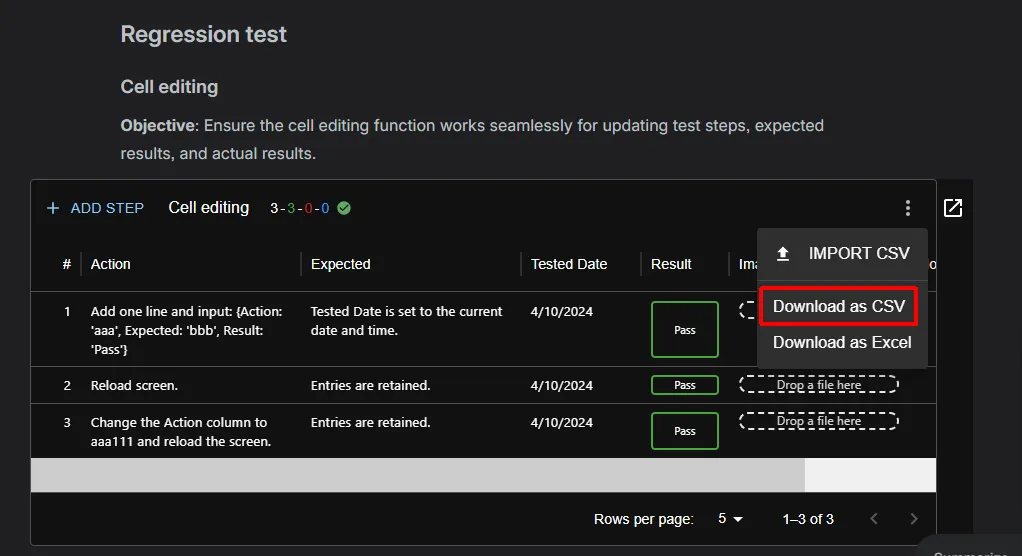
CSV Export
You can export the contents of a test macro to a CSV or Excel file, for example to share results outside Confluence or to create a template for CSV Import.
Exporting a test macro
Section titled “Exporting a test macro”- Open the Confluence page that contains the test macro.
- In the macro toolbar, click the ⋮ (more) button.
- Choose Download as CSV or Download as Excel.
Expected result: Your browser downloads a file named <Test Macro Title>.csv (or .xlsx) containing all rows and columns of the macro, including custom columns. CSV files are encoded in UTF-8.