Get started
From the Confluence navigation, select Apps, then Shell.
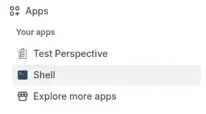
Select the console, then try these commands:
$ ls$ cd YourSpace$ helpls lists the global, personal, collaboration, and knowledge_base spaces at /. Archived spaces aren’t shown. cd opens a space or page in the console. help lists all commands, and help <command> shows help for a specific command.
The welcome message shown when the console opens (Cloud 3.11.0) suggests tree -L 2, find -mtime +30, ls --format csv, ls -l, find -mtime +365 -prune, find -label needs-review, and find -mtime +730 -prune | archive -n, plus the line “Cross-space mv / cp — mv needs -y.”

- Understand the filesystem — paths, quoting, and personal spaces
- Use cases — recipes for reorganizing, searching, restrictions, and history
- Use tab completion
- Input tips — copy and paste
- Command Reference
- Limitations