Column configuration
You can customize the column structure of the test macro for each space. Follow the steps and features below to define custom columns and save the settings.
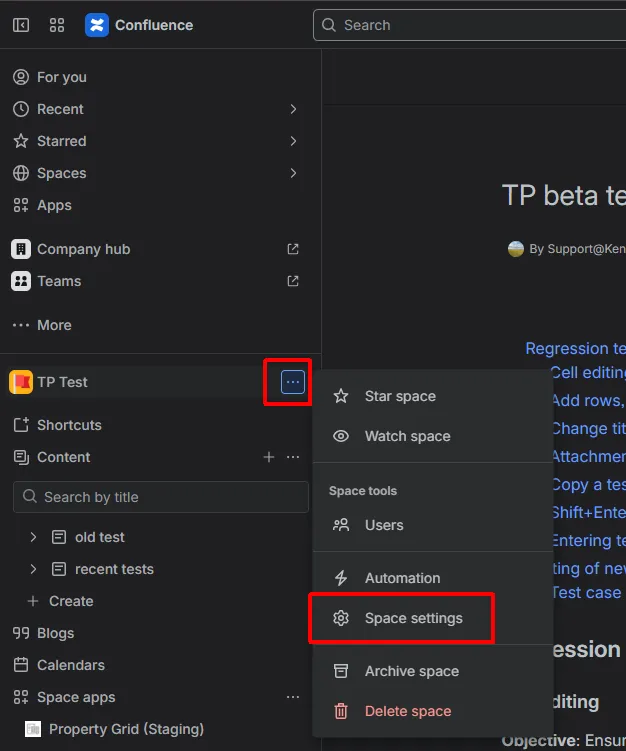
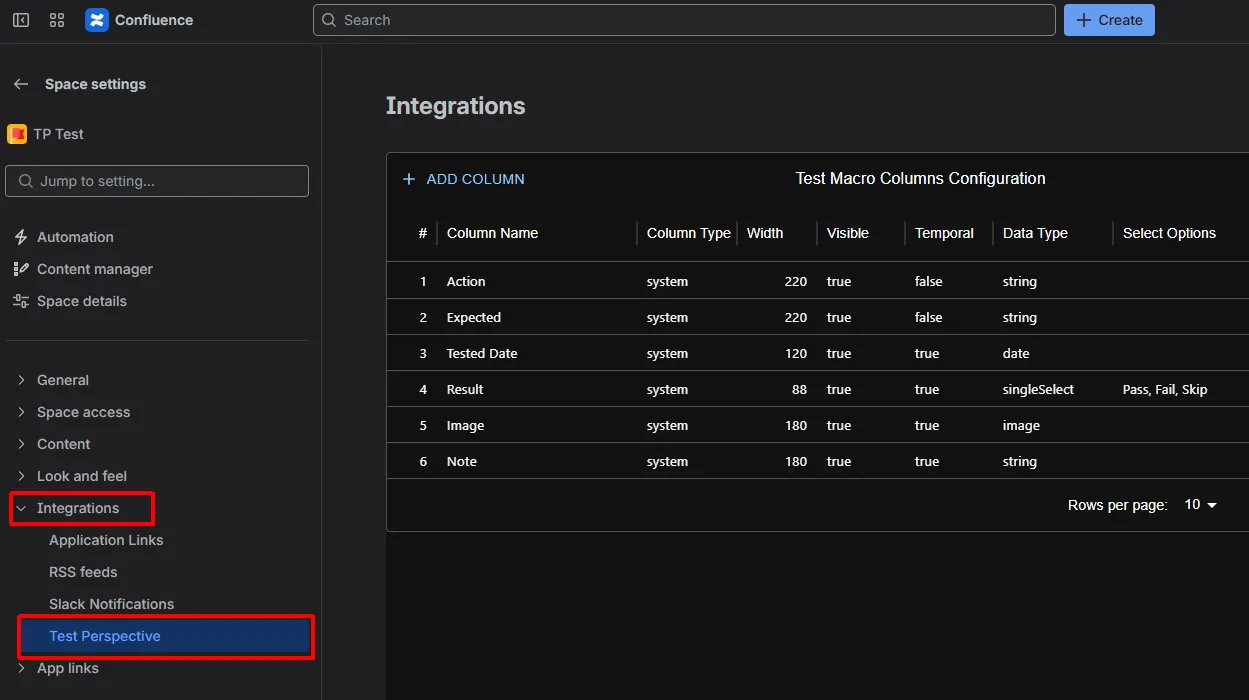
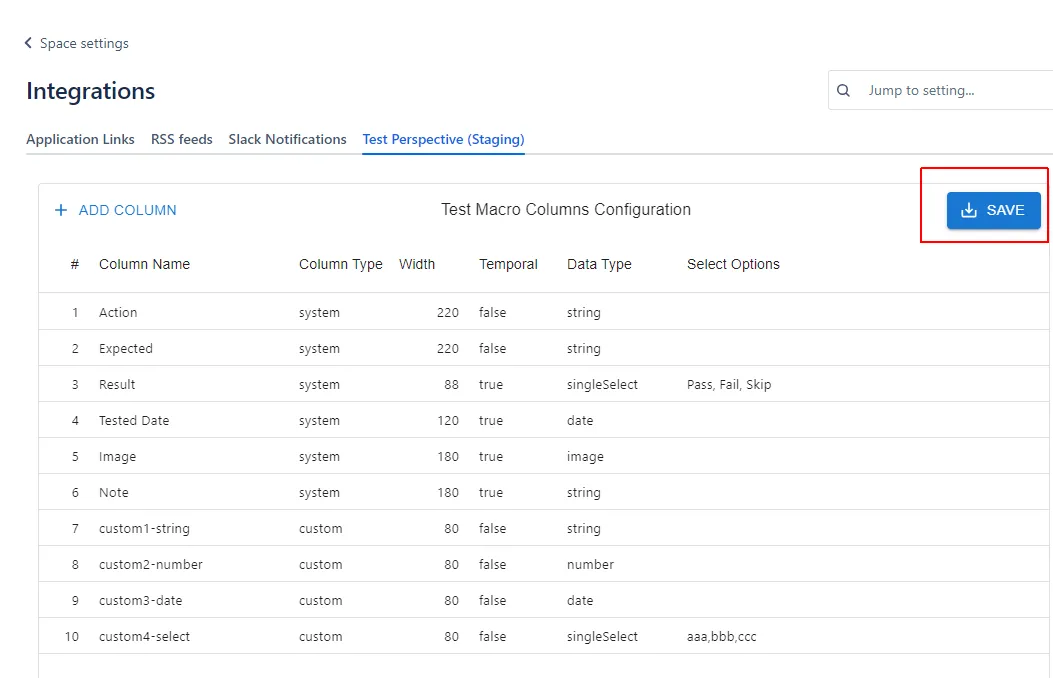
-
Column Configuration
- You can configure the column structure of the test macro on a per-space basis. Add custom columns to manage your unique items.
-
Defining Custom Columns
- Available data types:
string,number,date,singleSelect. - When using
singleSelect, set the options in the “Select Options” field, separated by commas.
- Available data types:
-
Scope of Application
- The column settings apply to all test macros within the space.
-
Saving Settings
- 
-
Constraints
- For system columns, only the order, column name, and column width can be changed.
- Up to approximately 1000 columns can be saved if select options are excluded, but this will be validated upon saving.