Viewing Entity Properties of Pages or Spaces
Overview
Section titled “Overview”Property Grid allows you to easily view and manage entity properties stored in Confluence Cloud pages and spaces in a spreadsheet-like grid format.
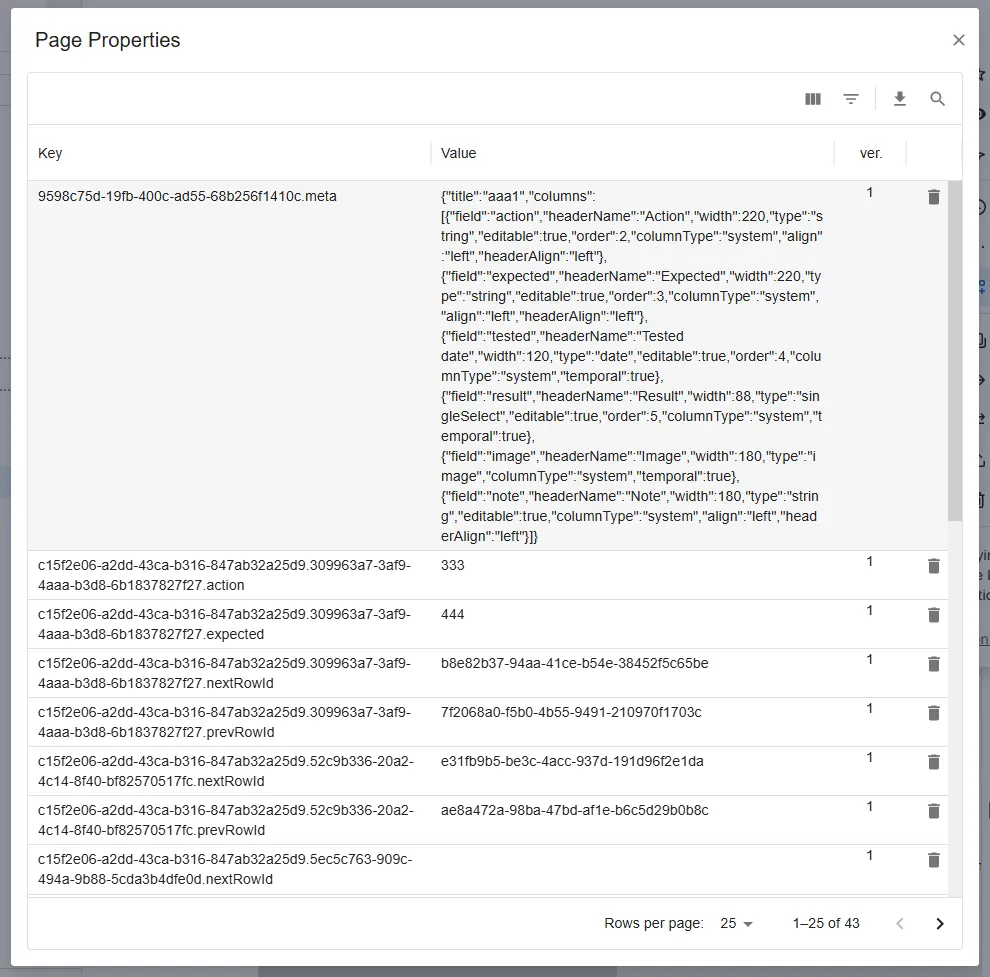
How to Display
Section titled “How to Display”To view entity properties of a page
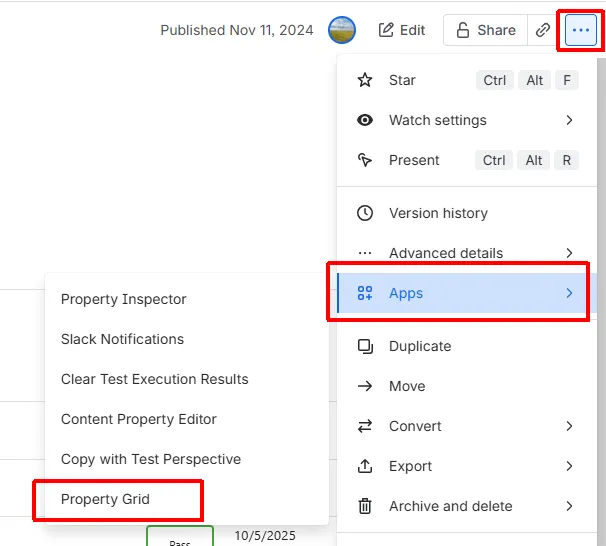
Section titled “To view entity properties of a page”- Open the target page.
- Click the action menu (…) in the top right corner.
- Select Apps > Property Grid.
To view entity properties of a space
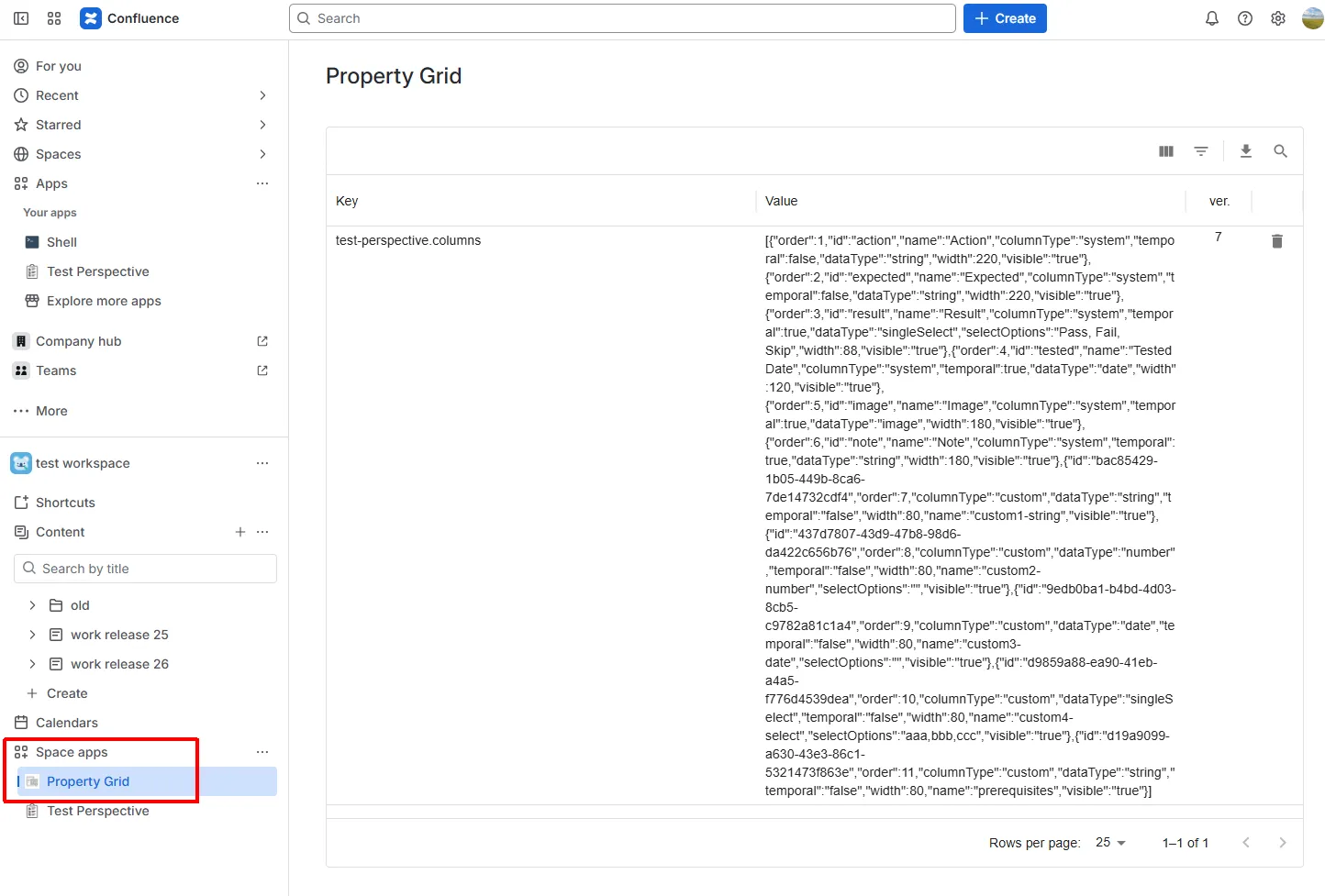
Section titled “To view entity properties of a space”- Open the target space.
- In the sidebar, select Space apps > Property Grid.
Operations Available on the Grid
Section titled “Operations Available on the Grid”- Sorting
Sort records in ascending or descending order for any column. - Filtering and Searching
Narrow down properties using specific strings or conditions. - Deleting Properties
Delete unnecessary properties. - Paging
View large numbers of records conveniently in pages. - CSV Export and Printing
Export the displayed data to CSV or print it for reports and reviews. - Column Selection
Switch displayed columns freely (e.g., version, key name, value).
- This app runs on Atlassian Forge, and all data is processed within the Atlassian environment.
- No external servers or third-party data transmission is involved.